 vidsticker
WhatsApp stickers from your photos and videos
Make a WhatsApp sticker from a selfie, a photo of your pet or the best frame of a video. AI removes the background, you add text, an outline or a circle and download a PNG with a transparent background — WhatsApp turns it into a sticker. Free, no sign-up.
From a link we take up to 3 minutes of the video, starting at the moment you set next to it. For personal use only — the rights stay with the video's author.
No video of your own? Find a GIF on GIPHY ↗ — save it and upload it here.
🎭 Bring a photo to life
Copycat — the face in your photo copies the expressions from your video. Emotion pack — 20 stickers where the face laughs, winks, falls in love.
By uploading a video you agree that we keep it and the finished stickers for up to 7 days to improve the service, then delete them (sooner on request to support@vidsticker.com). Visits are counted by Yandex Metrica (cookies and a recording of actions on the page, without uploaded videos).
This is a Live Photo — the browser only passed the still, so the sticker won't move. To make it move, send the Live Photo to the bot — in Telegram it stays live — and open it in the editor with “✏️ Open in editor”. Or save it as a video: Photos → “…” → “Save as Video” — and upload the clip.
Move and resize the circle — that's the frame of the round video. Up to a minute, with sound; the bot sends the finished round video to your chat, and you can forward it from there.
The subject sits on a color or gradient in the sticker's shape — pick a circle, rounded or square shape on the “Frame” tab. You'll see it on the finished sticker.
Changes the subject's colors; the backdrop, outline and text stay as they are. You'll see it on the finished sticker.
Follows the subject's edge when the background is removed, or the sticker's shape. You'll see it on the finished sticker.
Not working? Ask in our group
🎭 Animate the face
20 stickers with this face: laughing, smiling, in love, winking…
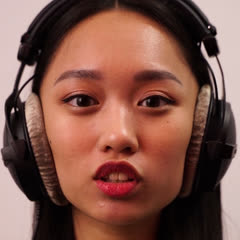 Photo
Your video
Sticker
No video of your own? Find a GIF on GIPHY ↗ — save it and upload it here.
What video works: a close-up face looking at the camera, with the eyes, brows and mouth doing the moving — then the expressions transfer cleanly. If the head turns a lot, nods, tilts back or moves toward the camera, the face in the photo will warp and you'll get something wild. We soften strong turns and zooms, but not all the way.
Only animate your own face or the face of someone who agrees.
Frame, background, shape and outline are taken from your choices above. It takes 2–4 minutes, and the pack will appear in your Telegram.
Whoever gets your sticker can open its whole pack — keep personal stickers in a separate one.
Not allowed: 18+, violence, extremism or other people's private videos — rules
⚠️ The sticker won't show up in Telegram right away
New pack: press “Open pack”, then “Add Stickers” in Telegram. Without that, the pack won't be in your panel.
Don't see it in the panel? Restart Telegram:
- 📱 Phone: close Telegram completely — swipe it away from recent apps — and open it again.
- 💻 Computer: quit Telegram (⌘Q on a Mac, “Quit Telegram” in the tray icon on Windows) and start it again.
- 🌐 Browser: reload the Telegram page.
It's already in the pack — the exact contents are in “My stickers”.
Want it straight in your Telegram pack? Log in with Telegram — the sticker goes in with one tap, and there’s no limit.
iPhone and Mac file previews don't show transparency — you'll see a black background with streaks instead. In Telegram the sticker is transparent, as it is here.
The Share menu opens — tap “Save Image” and the picture lands in Photos.
Like it? Support the project — everything else stays free.
With Telegram Stars
In rubles — by card or SBP
In rubles — Russian bank card or SBP
By card from a bank outside Russia — in dollars
By card from a bank outside Russia — in dollars
By card from a Belarusian bank — in Belarusian rubles
By card from a Belarusian bank — in Belarusian rubles
Thank you for your support! ❤️
📣 Our channel has quick sticker tips: outlines, stickers from a link, round videos, your own emoji. Questions and ideas — in the group.
Next — in MAX. Open the “Stickers in MAX” bot (@stickers), tap “Create set”, add the pictures and name the set. A Digital ID from Gosuslugi is required.
Step by step, with pictures · Not affiliated with MAX.
Next — in WhatsApp. Open any chat, tap the sticker icon and then Create (on a computer you can also use + → New sticker), pick this image and send it. Then tap the sticker and choose Add to Favorites — it will always be at hand.
Step by step · vidsticker isn't affiliated with WhatsApp or Meta.
Making your emotion pack…
⚠️ The pack won't show up in Telegram right away
New pack: press “Open pack”, then “Add Stickers” in Telegram. Without that, the pack won't be in your panel.
Don't see it in the panel? Restart Telegram:
- 📱 Phone: close Telegram completely — swipe it away from recent apps — and open it again.
- 💻 Computer: quit Telegram (⌘Q on a Mac, “Quit Telegram” in the tray icon on Windows) and start it again.
- 🌐 Browser: reload the Telegram page.
You can close this page — the build keeps going and the pack will appear in Telegram.
Whoever gets your sticker can open its whole pack — keep personal stickers in a separate one.
⚠️ Changes show up in Telegram with a delay. Still the old way there? Restart Telegram: close it completely and open it again, or reload the page in a browser.