 vidsticker
How to make Telegram stickers on iPhone
On an iPhone a Telegram sticker takes a minute and no extra apps: Telegram itself or Safari is enough. Below — how to make a sticker from a photo, a video and a Live Photo, and how a Telegram sticker differs from the built-in iOS stickers.
A sticker from a photo or video with the bot
- Open @vidsticker_bot in Telegram and tap Start.
- Tap the paperclip 📎 and pick a photo or video from your library.
- Add a caption if you like: “no bg”, “circle”, “boomerang”, “from 0:05” or an emoji for the sticker.
- In 10–30 seconds the bot sends the sticker and a link to your pack. Open the link and tap Add Stickers — once; new stickers will show up in the pack by themselves.
A moving sticker from a Live Photo
A Live Photo is three seconds of motion around a shot, and it makes a great animated sticker. One catch: by default Telegram sends a Live Photo as a still. In the send preview tap the Live label in the top-left corner and choose Live — the Live animation turns on. (The screenshots show Telegram in Russian; the menu is in the same place.)
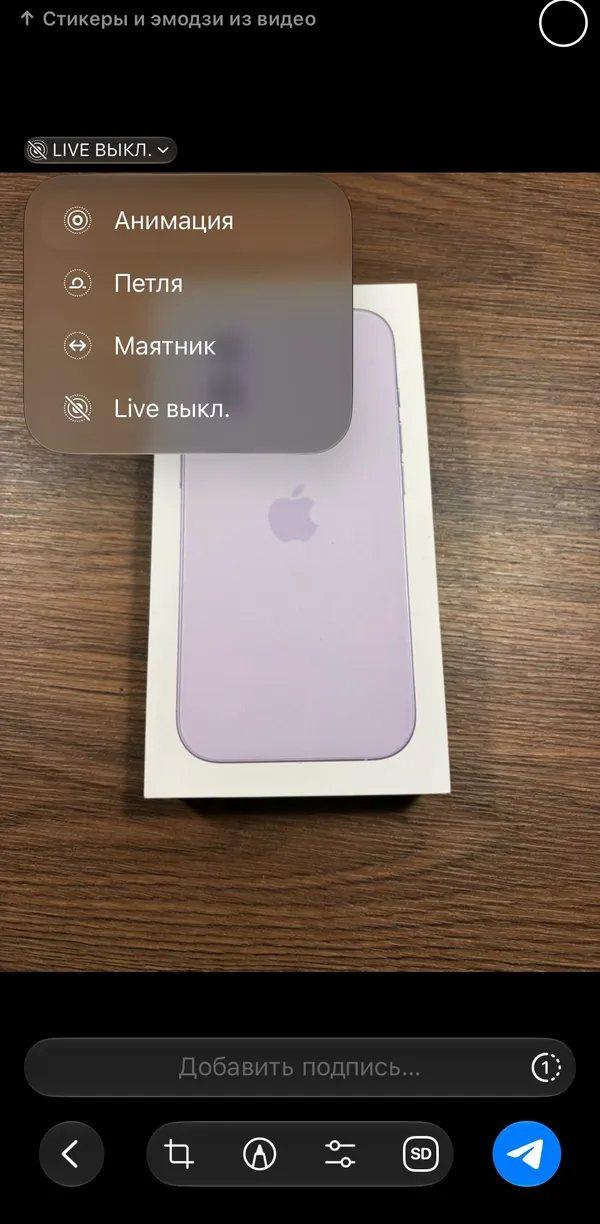
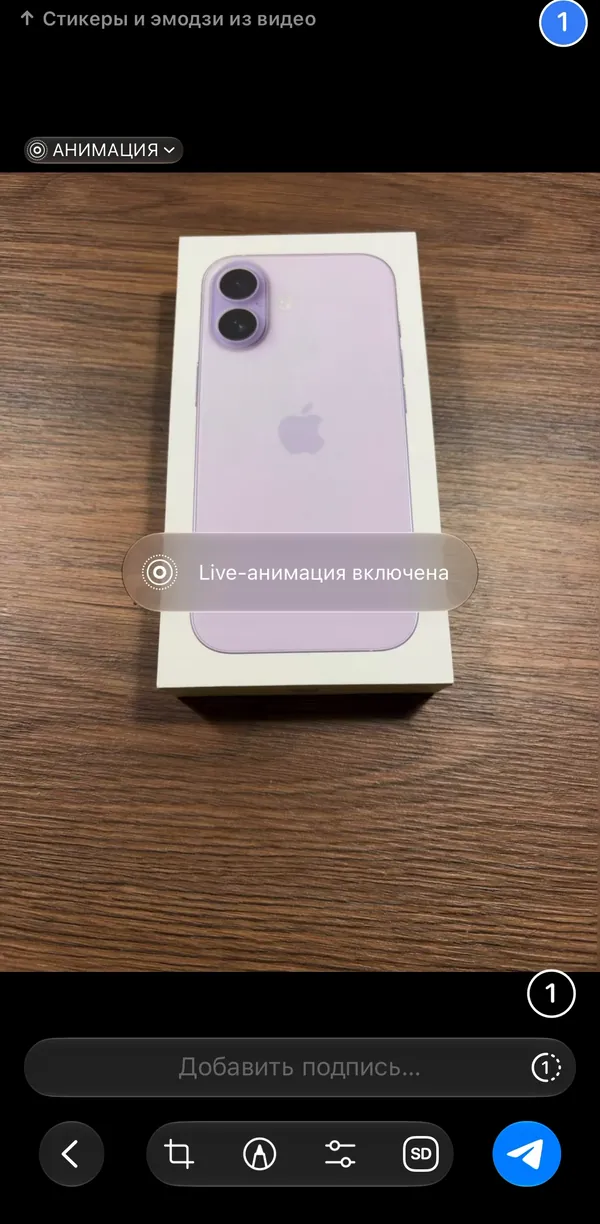
Details and common questions — in the Live Photo sticker guide.
In Safari or the mini app
- Open vidsticker.com in Safari — or tap Editor in the chat with the bot: the same editor opens inside Telegram.
- Tap “Drop a video, GIF or photo here” — the iPhone offers your library, the camera or Files.
- Pick the moment on the frame strip, and use the tabs for shape, text, effect and background.
- Tap “Make sticker”. In the mini app it goes into your pack with one tap; in Safari — after logging in with Telegram.
iOS stickers vs Telegram stickers
On iOS 17 and later you can make a sticker right in Photos: touch and hold the subject of a photo, then tap Add Sticker. That sticker lives on your iPhone — in Messages and on the emoji keyboard. But it isn't a Telegram sticker pack: it won't be on your other devices, and a friend can't add it with one tap.
To have the sticker in a real Telegram pack with a link, send the same photo to the bot with the caption “no bg” — it cuts out the subject just like Photos does.
iPhone tips
- HDR video from an iPhone is converted to normal colors automatically — the sticker won't look washed out or blown out.
- Long 4K videos are better trimmed in Photos before sending, or uploaded on the website — up to 200 MB there. Telegram passes files up to 20 MB to bots; for bigger videos the bot picks a smaller copy itself.
- Screenshots, memes and pictures from Safari work too — save them to Photos and send them to the bot.
- The sticker isn't in the panel? Close Telegram completely (swipe it up in the app switcher) and open it again. Why a sticker doesn't show up
Questions and answers
Do I need to install an app?
No. The bot works inside Telegram, the editor — in Safari and inside Telegram.
How do I make a sticker from a photo on iPhone?
Send the photo to @vidsticker_bot with the paperclip. Want it without the background — write “no bg” in the caption. Sticker from a photo
How do I make a sticker of myself on iPhone?
Take a selfie or a short video and send it to the bot with the caption “no bg”. Stickers of yourself
Why doesn't my Live Photo sticker move?
A still photo went out: Telegram sends Live Photos with Live off. In the send preview choose Live and send it again.
Can I move an iOS Photos sticker to Telegram?
Not as a pack. Send the original photo to the bot with “no bg” — you get the same sticker, but in a Telegram pack.
Is it free?
Yes, with no channel subscriptions and no ads.